
What Is Ransomware and How Can You Protect Yourself?
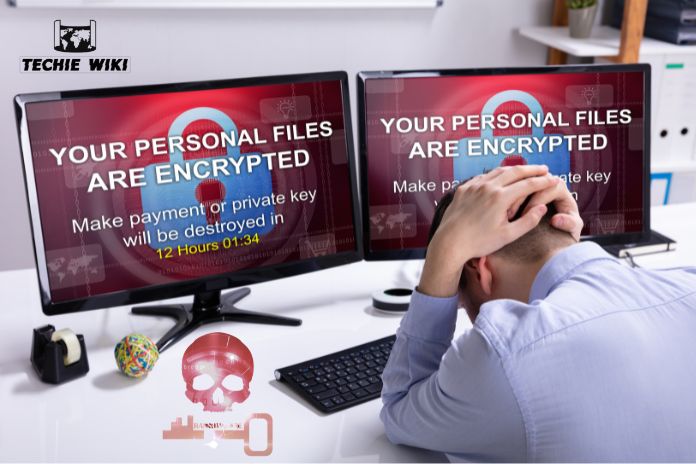
The computer screen suddenly goes black, and you can no longer type or click anything using the mouse or keyboard. Then a message is displayed on your monitor saying that your files are encrypted, and you have only a few hours left to pay a ransom to retrieve access to your files. Otherwise, the data will be deleted or, in the worst-case scenario, even published online. This type of attack on your devices is carried out using so-called ransomware. In this article, we explain about ransomware, how it works and the ways to protect yourself before it’s too late.
Ransomware: Know The Key Points
- Ransomware is a type of malware that locks you out of your own device. Sometimes, individual files or parts of your system are also encrypted.
- Ransomware is a type of malware that can encrypt files or prevent access to systems and demand a ransom. They also may steal data and demand payment in exchange for not publishing or disclosing it your personal or sensitive information.
- You should not assume that paying the ransom will restore your data or prevent further compromise.
- In some cases, specialists may be able to recover or decrypt the affected data; otherwise, you may need to reinstall the system and restore data from a clean backup.
What Is Ransomware?
Ransomware is currently the most widespread type of malware. This malicious software works by encrypting data to block access to specific data or an entire system.
It allows fraudsters to lock you out of your laptops, smartphones or other devices and extort a ransom from you.
In exchange for the ransom, the fraudsters promise to decrypt the data. However, you receive no guarantee of success. After receiving the money, the perpetrators can also:
- They simply disappear, and it’s very hard to find them.
- They may decrypt the data but leave behind hidden malware to blackmail you again when they need a ransom from you.
- Attackers may also attempt to use or sell stolen information or credentials for further criminal activity.
How Does Ransomware Work?
In practical terms, ransomware works by encrypting files on the infected device. You can receive this malware, for example, via an email attachment or a mistakenly named file download. Therefore, always pay close attention to which file attachments you open.
If the virus is on your device, you will lose access to it and be unable to decrypt your data. With ransomware, your computer screen may suddenly go black, and your device may become unresponsive to mouse and keyboard input. A threatening message from the attackers then appears, threatening to delete and/or share all the private information online. The message typically contains the following characteristics:
- A countdown, status bar, or date shows you how much time you supposedly have left. This is intended to emphasise the urgency of the situation.
- You will be asked to buy Bitcoins and transfer them to a specified account.
- The only course of action usually left for you is to access a Bitcoin marketplace where you can purchase the ransom and send it online to the cybercriminals. The perpetrators may use cryptocurrency because it can make transactions more difficult to identify and investigate.
Well-Known Ransomware Families and Groups: Examples
Ransomware groups use different variants to target organizations around the world. Here are some well-known examples:
- LockBit: LockBit ransomware first appeared in 2019 and, by 2022, was the most widely used ransomware family group. In 2023, it continued targeting organizations and infecting systems as a ransomware-as-a-service (RaaS). International law enforcement disrupted their operations in 2024.
- BlackCat/ALPHV: BlackCat ransomware-as-a-service first appeared in 2021 and implemented double extortion techniques. In 2023 and 2024, law enforcement agencies disrupted their operations.
- Akira: Akira ransomware was first discovered in March 2023 and targeted both small- and large-scale businesses in North America and Europe, including organizations in Australia and New Zealand. Akira targets organizations in the manufacturing, health, education, finance, and other service sectors.
How to Get Rid of Ransomware?
First and foremost stay calm, don’t panic and do not act quickly. Follow these steps:
- Disconnect the affected device from the wireless networks as quickly as possible – i.e., deactivate Wi-Fi or unplug the network cable – so that malware cannot spread further via the home network, network drives or other devices.
- Under no circumstances should you pay the ransom.
- Contact a qualified cybersecurity or IT professional. In some cases, the data on the device can be decrypted. The situation can be verified using reputable ransomware decryption resources.
In most of the cases, decryption is not possible. Your only option is to delete all data on the infected device and restore your system using a backup. If you have lost especially important data, you can store the encrypted data on an external storage device in case a decryption tool becomes available in the future. The affected device or storage media may still contain ransomware or other malicious software. To prevent reinfection, never simply connect the storage device to your computer. Only attempt decryption with the assistance of IT professionals. If you do not have a backup of your data, you need to completely reinstall the system.
How to Protect Yourself From Ransomware: Prevention Tips
To avoid ransomware affecting your devices, you need to be careful when dealing with unknown files.
Ransomware Prevention Tips
- Only open files from trusted sources and with a file extension that matches the file type. Files ending in .exe, for example, may install a program on your computer.
- Never connect USB drives from unknown sources to your devices. Criminals sometimes deliberately place modified USB sticks to lure innocent individuals into their trap.
- Back up your data regularly. You can set up data backup with just a few clicks. In the case of a ransomware attack, you can easily restore your system with minimal data loss.
FAQs – Frequently Asked Questions
1. Can Ransomware Affect A Phone?
Yes. Ransomware and other forms of malware affect your smartphone. But for computers they use different methods of attack.
2. Can Ransomware Be Removed?
The chances of removing ransomware from the affected devices are very slim. Even though you remove the malware, it does not guarantee you can restore your encrypted files.
3. Can I Recover Files After A Ransomware Attack?
If you have a safe backup, then recovery may be possible, or if a legitimate decryption tool is available for the specific ransomware. Even after paying the ransom, there is no guarantee that you will recover your files.
4. Should I Pay a Ransomware Ransom?
No, even after paying a huge ransom does not guarantee that you will get your files back. The FBI advises victims not to pay ransomware demands to the cybercriminals.
Also Know About: Spyware
